Skip to content

Neoo Desktop & Apps: Your Windows applications. Right inside Neoo.

A full Windows desktop with Neoo Desktop, or a published application with Neoo Apps. Plan access to your existing software through Neoo, based on compatibility and how your team works.

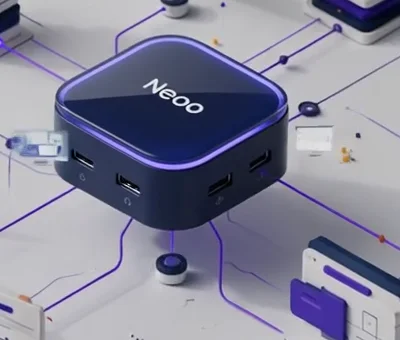
Neoo Desktop & Apps animation: the Neoo node connects a full Windows desktop and a published application.

  • Business or MSP add-on
  • Choose a desktop or an app
  • Compatibility to validate
  • Deployment to scope

A paid add-on to Business or MSP. Validate licences, devices, peripherals and network requirements before deployment.

  • Your software
  • Desktop or Apps
  • Pilot group
  • Access in Neoo

01 / Full desktop or published app

The right access for every use. The same context for the whole company.

Not every user needs the same environment. Some work across several applications and files all day long. Others only need to open one specific business application. Neoo lets you combine both.

COMPLETE ENVIRONMENT

Neoo Desktop

A Windows desktop for working across several applications.

Bring selected applications and files together in a Windows desktop. Confirm the hosted scope, access methods and technical dependencies with the team.

  • Full Windows desktop
  • Work across several applications
  • Centralised files and environment
  • Familiar Windows experience
  • Ideal for multi-application teams
Discover Neoo Desktop

TARGETED ACCESS

Neoo Apps

The application you need, without showing a full desktop.

Apps is designed for access to a Windows application without showing a full desktop. Publication depends on compatibility, licensing and a configuration validated for that software.

  • Published Windows application
  • Launched directly from Neoo
  • Simple, focused interface
  • Less complexity for the user
  • Ideal for one specific business application
Discover Neoo Apps

02 / Keep what works

Keep the applications that run your business. Modernise at the right pace.

An accounting application, a legacy ERP or a custom Windows tool can be assessed for a Desktop & Apps project. Start with one application and a pilot group: test a real task before extending deployment.

01

Your current applications

  • Accounting software
  • Legacy ERPs
  • Windows applications
  • Custom business developments
  • Files and databases
02

Environment to define

  • Guided migration
  • Installation and configuration
  • Environment hardening
  • Testing and validation
The Neoo node from the animation, the shared access point between existing applications and Neoo modules.
Shared access pointPlan access for the selected applications.
03

Access in Neoo

  • Neoo Desktop
  • Neoo Apps
  • Users and permissions
  • Shared access point

Plan the stages, any overlap between environments and a rollback before moving your teams.

What Neoo unifies — and what remains a choice

Access point
Define which applications to open through Neoo and how each one will be accessed.
Authentication and permissions
Validate accounts and permissions for each application; a shared access point does not guarantee single sign-on.
Data integration
Opening an application does not activate data exchange. Objects, exchange direction and the connector need separate confirmation.
Discover the progressive migration

03 / Application catalogue

Your software is the starting point. Check the right access method.

These entries help scope your needs; they do not guarantee activation or an included licence. Confirm the version, hosting or online service access, prerequisites and costs before choosing.

Productivity5

  • Microsoft WordCompany documents and templates, in the same environment.Listed · to validate
  • Microsoft ExcelSpreadsheets, analyses and files shared across teams.Listed · to validate
  • Microsoft OutlookBusiness email and calendar connected to Microsoft 365.Listed · to validate
  • Microsoft TeamsMeetings, calls and day-to-day collaboration.Listed · to validate
  • OneDriveStorage and synchronisation of user files.Listed · to validate

Accounting and finance3

  • Horus SoftwareAccounting for accounting firms and SMEs; version and hosting to validate.Listed · to validate
  • Exact OnlineOnline accounting service; access method to assess, with no implied rehosting.Listed · to validate
  • Wolters KluwerAccounting and tax suites, subject to licence and prerequisites.On request

Business management1

  • OdooERP and management applications; version, hosting and maintenance to scope.Listed · to validate

Applications and databases3

  • WinbooksWindows accounting; version and database requirements to be validated.SQL depends on version
  • PopsySales and accounting management; SQL Server requirements to validate by version.SQL depends on version
  • AdsolutManagement suite for accounting firms; SQL configuration to validate for your needs.SQL depends on version

A specific application?

Share the software version, users and dependencies. An assessment determines whether Desktop or Apps is suitable; compatibility is not guaranteed in advance.

04 / Day to day

Your teams keep their tools. IT gains control.

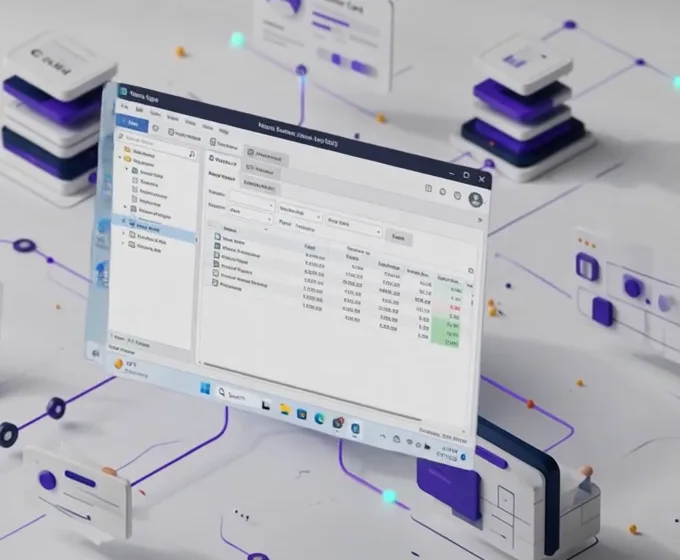
Windows desktop illustration introducing Neoo Desktop mode.
Neoo Desktop · illustration
Windows application illustration introducing Neoo Apps mode.
Neoo Apps · illustration
  1. 01

    Access to test

    Check access from your devices, as well as printing, peripherals and network quality.

  2. 02

    Quick to adopt

    Users find their applications and their Windows environment again without having to learn new business software.

  3. 03

    An identified scope

    Distinguish applications to host from online services that remain with their vendor. Specify where the data resides.

  4. 04

    Defined responsibilities

    Clarify who installs, maintains and supports each application. Hosting, support and maintenance are different services.

  • Licences to check
  • Access to test
  • Data locations to confirm
  • Support to scope

05 / How it works

A guided transition. Not a blind project.

  1. Understand the current setup

    We identify the applications, data, users, licences and technical dependencies.

  2. Prepare the environment

    Define the required installations, transfers and access methods, then agree the costs of the selected services before work begins.

  3. Test and validate

    A pilot group checks performance, permissions, printing, peripherals and real-world usage.

  4. Publish in Neoo

    Users access their desktop or their applications from their Neoo environment.

  • A first pilot task
  • Tests before going live
  • Services specified in the offer

06 / Pricing

Choose the access profile. Separate subscription and deployment.

These per-user add-ons are charged on top of your Business or MSP subscription. Vendor licences, selected services and additional options are priced separately.

Neoo Apps

€45/ user / month

One published business application per user.

  • Profile for one business application
  • 25 GB included per user
  • Access and licence to validate
  • Direct application launch
  • Ideal for a targeted need
Discuss Neoo Apps

Neoo Desktop Dedicated

€85/ user / month

A dedicated environment for more demanding needs.

  • Dedicated scope to define
  • CPU and RAM to size in the offer
  • 25 GB included per user
  • Tailored configuration
  • For demanding environments
Discuss my environment

Additional storage25 GB pack at €2.75 / month

Prices in euros excl. VAT, per user and per month. Confirm commitment, billing dates, any proration and cancellation terms in your offer.

Applications and optionsDetails of business applications, SQL instances, Microsoft 365 and related services.

Business applications

  • Installation and hosting of selected applicationsWithin the confirmed plan scope, excluding licences and options not included
  • Accounting Apps — Business with Desktop & Apps€5.50 per user and per application / month; connections to confirm

Applications with SQL Standard

  • Dedicated SQL Standard instance for your applicationOn request, depending on the vendor licence
  • Database backup and monitoringScope, retention and restoration to specify in the offer

Microsoft 365

  • Microsoft 365 licencesUsage rights, provider and billing to confirm
  • Word, Excel, Outlook, Teams and OneDriveAccess method and compatibility to validate for the licence

Options and services

  • Desktop & Apps deployment (per company)From €650
  • Additional 25 GB storage pack€2.75 / month

07 / Operations and data

Relevant commitments. A written scope before deployment.

Confirm the commitments that apply to your environment with the team. Hosting alone does not guarantee third-party software maintenance or a restoration time.

The path of a session, from the user to the chosen environment

  1. User
  2. Neoo
  3. Desktop or Apps
  4. Selected environment

Location and hosting

Confirm hosting and backup locations and the providers involved. Distinguish the selected environment from third-party online services.

Security and confidentiality

Define authentication, permissions, isolation and applicable responsibilities. Supporting evidence must match your contractual scope.

Backup and exit

Specify retention, restoration, export formats, exit times and costs. Test data recovery with the selected applications.

Support and maintenance

Distinguish environment support from application maintenance. Confirm contacts, channels, hours and contractual response times.

Read the data and security reference

frequent questions

The answers before you choose.

What is the difference between Neoo Desktop and Neoo Apps?

Neoo Desktop provides a full Windows desktop with several applications, files and work tools. Neoo Apps publishes only the application the user needs, without showing a full desktop. Both modes can coexist in the same company.

Do we have to replace our current applications?

Not necessarily. First check the version, licence and dependencies of each tool. A pilot task helps determine which applications to keep and how to access them.

Do we have to migrate all our data immediately?

Define the scope, stages, tests and rollback in the project. Any overlap between environments and the required transfers depend on your applications and data.

Can I use Neoo Desktop or Apps from a Mac?

The access method needs validation with your Mac, network and peripherals. Ask to test the selected software rather than inferring compatibility from an illustration.

Can we keep our existing licences?

It depends on each vendor’s terms. Licences, prerequisites and possible options are checked during the environment analysis.

Where are the applications hosted?

Have hosting and backup locations confirmed in your offer. Accessing an online service through Neoo does not mean its data is transferred into the Desktop & Apps environment.

Can you integrate a specific Windows application?

An assessment is needed: version, licence, dependencies, security and performance. A catalogue entry is neither compatibility approval for your installation nor confirmation of available activation.

Is Desktop & Apps included in Business or MSP?

No. Desktop & Apps is a paid add-on compatible with Business and MSP. The management subscription remains separate; Starter and standalone Forge do not provide access to this option in the pricing model shown.

Does the price cover maintenance and licences?

Do not infer this from the per-user price. Separate the subscription, one-off deployment, vendor licences and selected services. Support, maintenance and exit terms must be specified in your offer.